Features
Everything included in your roofing website
Every feature of a GetRoofingWebsite website for roofing contractors, and which of the three plans carries it. Plans start at $127 a month plus a $697 build fee invoiced after launch.
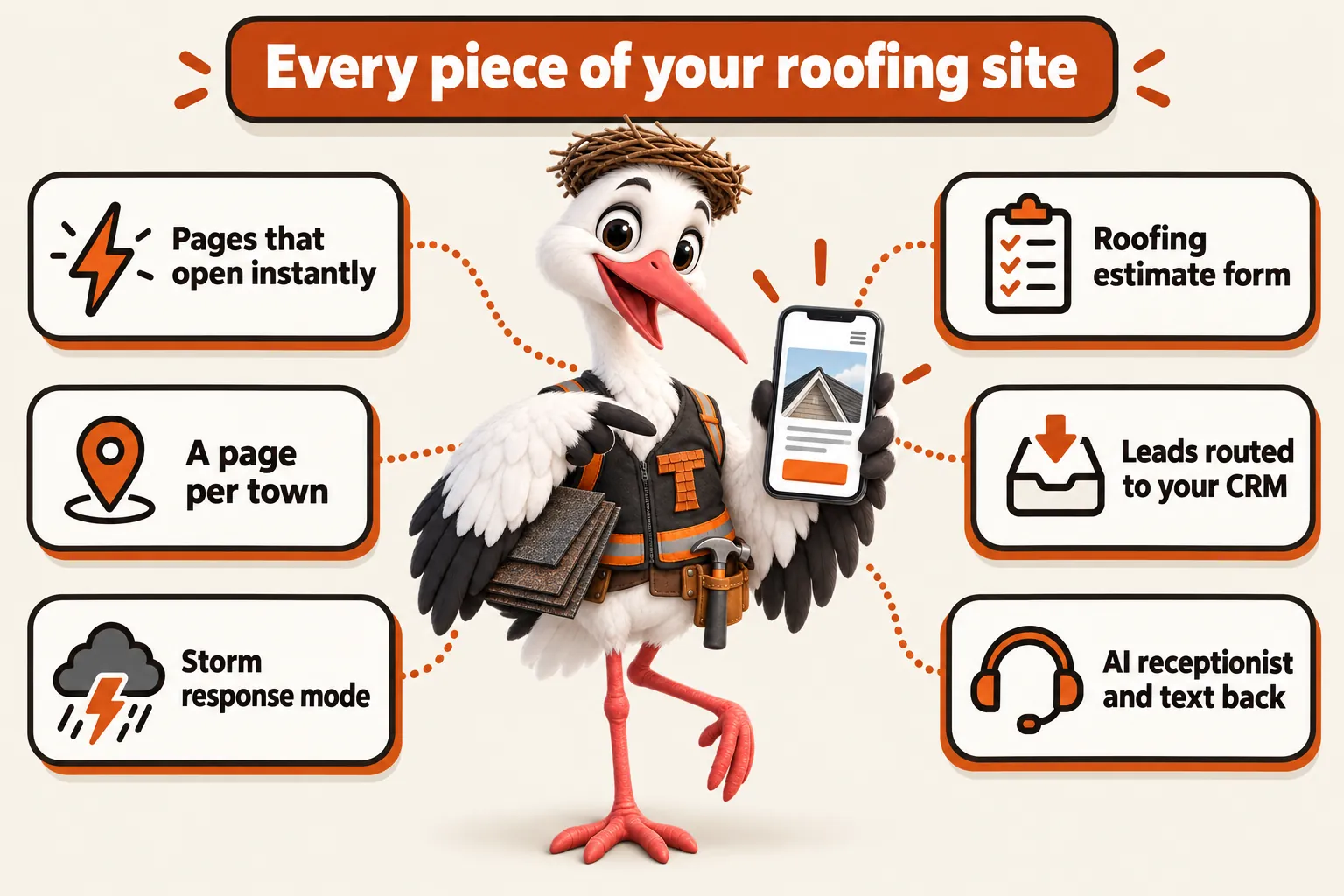
Pages that open instantly
Custom-coded pages served from the edge, 90+ PageSpeed guaranteed.
Why speed decides the job before you ever call back
A homeowner standing in a driveway with a tarp on the roof is searching on a phone with one bar of signal, and a page that stalls for three seconds loses them to the next result. Every page on this site is custom coded, ships almost no JavaScript, and is served from Cloudflare's global edge, so it opens the same instant on a job-site phone as it does at a desk. The 90+ PageSpeed guarantee is not a launch-day snapshot; it is checked on an ongoing basis and fixed at no charge if a page slips below it.
Built for the connection your buyer actually has
Roofing leads come from people outside, on a ladder, in an attic or standing in a yard checking storm damage, often on a spotty carrier signal rather than home Wi-Fi. Heavy sliders, autoplay video and page-builder bloat are the first things to fail in that situation. This site is built from hand-written code with images compressed and sized for the device requesting them, so it stays fast on exactly the connection your next call is coming from.
What a fast landing page does to the cost of your ads
If you run Google Ads, the page they land on is part of how the auction prices your clicks. Google Ads Help states plainly that "higher quality ads typically cost less per click than lower quality ads", and landing page experience is one of the components Google names in ad quality. A faster, more relevant page can therefore lower what you pay for the same click, and it captures more of the visitors you have already paid for, because fewer of them leave before the page draws. We do not promise a specific cost per click or a percentage: the auction is Google's, not ours. We control the page, and the page is built to be the strong part of that equation.
Source: Google Ads Help, About ad quality (accessed September 2026)
Included on: every plan
A page for every town and every service
One page per town you serve, crossed with the services you sell there, so search engines have something to rank.
Why one roofing page cannot rank for ten towns
A single "service area" paragraph listing ten towns tells a search engine nothing specific about any of them, and it tells a homeowner even less. Each town you serve, crossed with each service you offer there, gets its own page: shingle roof replacement in one town, storm damage repair in the next, flat roof coating in a third. That is how an independent roofing company competes against directory sites that only have thin, generic pages for the same searches.
What goes on every service area page
Every page names the town, the roof types common to that area, the permit or HOA quirks worth mentioning, and a clear estimate request path. Onboarding collects your list of towns and services once; new pages are added as a revision whenever you expand into a new area, at no extra charge beyond your normal revision count.
Included on: every plan
Before and after project galleries
A gallery built to show tear-off to finished roof, organized by roof type and material.
Why a roofing site lives or dies on proof photos
Nobody buys a roof without seeing what the last one looked like when it was done. The gallery is organized by roof type and material, whether that is architectural shingle, standing seam metal or a low-slope commercial membrane, so a visitor can find a job that looks like theirs in a few taps instead of scrolling a single undifferentiated feed.
Send photos, we handle the layout
You send job site photos through your client portal or by email; we resize, compress and place them so the gallery loads fast even with dozens of projects. Each project can carry a short caption: roof type, material, town and what the job involved, which also feeds search visibility for that exact combination.
Included on: every plan
Storm season response mode
A site-wide banner and routing change your team can trigger the morning after a storm, before the calls start.
What changes on the site during storm season
The morning after a hail or wind event, call volume spikes for every roofer in the area at once, and the site that answers fastest wins the job. A storm response toggle raises a banner across the top of the site with the storm name or date, a free inspection message, and a shortened estimate form that asks only for an address and phone number so a rattled homeowner can submit it in under a minute.
Turning it on and off is a request, not a rebuild
You raise it as a revision through your client portal, we turn it on within the standard turnaround, and we turn it back off once the surge passes. On Ridge and Peak, the AI Engine can also route storm-tagged inquiries straight to a dedicated queue so your dispatcher sees claims-driven leads before routine repair requests.
Included on: every plan
Estimate request form built for roofing
Asks for the roof details that actually let you price the job, then drops straight into your CRM.
Why a generic contact form loses roofing leads
A form that only asks for name, email and "message" forces a homeowner to type out details they would rather just tell someone, and it gives your sales team nothing to work with before the first call. This form asks for the address, the reason for the estimate (repair, replacement, storm damage or new construction), and roughly how urgent it is, so whoever picks up the inquiry already knows what they are walking into.
Where the submission goes
Every submission routes into your CRM, spreadsheet or inbox by direct API, Zapier or Make, whichever you already use. Nothing sits in a form plugin's dashboard waiting to be checked; it lands where your team already works.
Included on: every plan
Leads routed into the system you already use
Every inquiry lands in your CRM, spreadsheet or inbox by direct API, Zapier or Make, sorted the way your team sorts it.
Where a roofing lead has to end up
A lead is only useful in the place your team already checks every morning. Every form on the site is wired into your CRM, your shared inbox or a spreadsheet by direct API, Zapier or Make, with the fields mapped to the ones you already use, so nothing has to be retyped and nothing sits unread in a dashboard belonging to a form plugin.
Sorted before a person sees it
The routing can split by the reason chosen on the form, so storm damage requests, routine repairs and commercial bid requests land in different pipelines or go to different people. If your business runs branch by branch, requests can route to the branch that covers the address. We set this up during onboarding from the way your team already dispatches work, and changing it later is a revision like any other.
Included on: every plan
The AI Engine: receptionist, chat and text back
An AI receptionist for the calls you cannot take, a chat widget on the site, and an automatic text back to every missed call.
What the AI Engine actually does
On Ridge and Peak, three things run without a person: an AI receptionist answers calls your team cannot take and collects the caller's details, a chat widget on the site answers common questions about your services and coverage area, and a missed call gets an automatic text back within a minute so the caller hears from you before they dial your competitor. Simple appointment requests are booked straight onto your calendar. You review every script before launch.
What it will never do, on purpose
It is configured to describe your business, answer general questions and gather inquiry details. It never quotes a price, never diagnoses a roof, and never gives advice that belongs to a licensed professional. Anything that needs judgment is handed to a person at your business, which is the only safe way to run an agent for a trade where a wrong answer costs money.
Text messaging, and the carrier registration nobody warns you about
Business text messaging in the United States requires A2P 10DLC registration with the carriers before your messages reliably arrive. We file that registration for you as part of setup, and carrier fees are passed through at cost. AI usage, meaning the minutes and messages the agents actually handle, is billed monthly in arrears at what our providers charge us, with no markup on top of the monthly plan fee.
Included on: Ridge and Peak
Appointments booked onto your calendar
A booking path on the site and in the AI conversations, writing straight to the calendar your crews already run on.
From inquiry to a slot without a phone call
On Ridge and Peak a visitor who is ready to book an inspection can take a slot on the spot, and the AI receptionist and chat widget can do the same inside a conversation. The appointment is written to your calendar with the address and the reason for the visit already attached, so the crew lead sees what the job is before they leave the yard.
You keep control of what gets offered
You decide which slots are bookable, how much notice is required and which kinds of visit can be booked without a person, which is usually inspections and estimates rather than repair work that needs scoping. Anything outside those rules is passed to your team as an inquiry instead of being booked automatically.
Included on: Ridge and Peak
SEO, AEO and GEO, built into the build
Technical and on-page SEO, answer-first content for featured snippets, and clean data so AI assistants describe you correctly.
SEO: the pages, the tags and the plumbing
Search engine optimization here means the page architecture does the work: a page per town and service, titles and descriptions written per page, a clean heading structure, internal links between towns, services and articles, a sitemap and robots file that update themselves, and a 90+ PageSpeed score underneath all of it. Location and service area pages are part of what we build for you, which is what grows traffic from local searches rather than a single page claiming a whole county.
AEO: being the answer, not just a link
Answer engine optimization means every section opens with the direct answer to its own heading, questions are phrased the way a homeowner actually asks them, and FAQ blocks are visible on the page as well as marked up. That structure is what gets pulled into a featured snippet, a voice answer or an AI summary, because an engine can lift a clean 40 to 60 word answer and cannot lift a paragraph that buries the point.
GEO: being cited by AI assistants
Generative engine optimization means making your business easy for assistants such as ChatGPT, Claude, Perplexity and Google AI Overviews to read and quote: an llms.txt file describing the business and its key pages, consistent naming and service wording everywhere, facts stated plainly with dates, and crawler access left open rather than blocked. Nobody can guarantee a mention in an AI answer, and we do not. What we control is whether the information those systems find about you is complete, current and unambiguous.
Schema: the structured data that ties it together
Every page carries JSON-LD matched to what it actually is: Organization or LocalBusiness for the business, Service on each service and town page, FAQPage where questions are visible on the page, BreadcrumbList on anything below the top level, and Review markup only once you have real reviews to mark up. It is generated from the same data the page renders from, so the markup cannot drift from the visible page, which is the usual way structured data turns into a manual action.
Included on: every plan
The policy pages that ship with your site
Privacy policy, terms, cookie policy with consent that really blocks scripts, an accessibility statement, and the consent wording your forms need.
What comes with the site
Your build includes a privacy policy, terms and conditions, a cookie policy with a consent banner that genuinely gates analytics and marketing scripts until a visitor agrees, an accessibility statement, and a disclaimer page. They are written for a roofing company in the United States rather than copied from a template belonging to someone else, and they name your business, your contact route and how you actually handle inquiries.
Consent wording on the forms that need it
If your forms or the AI Engine send text messages, the form carries the consent line that US text messaging rules expect, with a clear opt-out, and the A2P 10DLC registration is filed for you. The site is built with accessibility in mind as well: real heading structure, keyboard operation, focus states, contrast that holds in both light and dark, and tap targets a work glove can hit.
What this is not
This is built to help you meet the obligations that apply to a roofing business website, and it is not legal advice and not a guarantee of compliance. Your license numbers, warranty terms, insurance details and any claim you make about your work are yours to confirm, and we publish them as you give them to us. If your state or your insurer requires specific wording, send it and we place it.
Included on: every plan
Financing and warranty pages
Dedicated pages explaining payment options and workmanship warranty terms, written in plain language.
Why cost and warranty questions need their own page
A roof is one of the largest purchases a homeowner makes for their house, and cost is usually the second question after "can you look at it." A dedicated financing page explains the payment options you actually offer, in plain terms, without disclosing prices you have not set. A separate warranty page lays out what your workmanship warranty covers and for how long, which is exactly the kind of specific, factual page that answer engines pull from when someone asks about it.
You control every claim on the page
We write the page from the terms and figures you give us during onboarding or in a revision request. We do not publish a financing partner, an interest rate or a warranty length we have not confirmed with you first, because those are facts about your business, not ours.
Included on: every plan
Weekly researched articles
Original articles about roofing topics that matter to homeowners searching in your area.
Why a roofing site needs a running blog at all
Search engines and AI answer engines both reward a site that keeps publishing specific, dated content, over one that launches once and goes quiet. Every plan includes 2,500 to 3,200 words articles, researched and sourced, on topics like signs a roof needs replacing, what an insurance adjuster looks for after a storm, or the difference between architectural and three-tab shingles. Deck and Ridge publish 2 a week; Peak publishes 3.
What we will not do
We never invent a statistic or a customer count to pad an article, and we never give roofing or construction advice in the voice of a licensed professional, since we are a website company, not a roofing company. Every figure in an article is sourced and cited, and every article is written for your service area rather than being generic filler that could belong to any roofer anywhere.
Included on: every plan
The Content Engine
Peak adds a third article a week plus 3 social posts and 2 reels, for teams that want more coverage faster.
What Peak adds on top of the standard article schedule
Peak increases the article schedule to 3 a week instead of 2, each 2,500 to 3,200 words, which builds search coverage across more towns, roof types and seasonal topics faster than a slower schedule allows. Topics are still sourced and specific to roofing, never generic home-improvement filler, and every figure carries a citation.
Social posts and short-form reels
The Content Engine also carries the social side of the same schedule: 3 social posts and 2 short-form reels a week, drawn from the articles, the seasonal cycle and the job photos you send in. It is the same material working twice, which is the only sane way for a roofing company to keep a social presence alive during a re-roof season.
Who this tier is for
Peak fits a roofing company covering several counties or running both residential and commercial divisions, where the number of realistic service-area-and-topic combinations is large enough that a faster publishing cadence closes the gap to competitors faster.
Included on: Peak
Managed hosting, included
Cloudflare hosting with SSL, CDN, DDoS protection and unmetered bandwidth, never billed separately.
What is included and what never shows up as a surprise bill
Your site runs on Cloudflare's global network with SSL, a content delivery network, DDoS protection and unmetered bandwidth, all inside the monthly fee. There is no separate hosting invoice, no SSL renewal charge, and no bandwidth overage after a busy storm week sends traffic through the roof.
One domain, included free
One domain is registered in your name for as long as your plan is active, or we point an existing domain at the new site with nothing changing for people who already know your address. If you ever leave, we transfer the domain to you at no charge.
Included on: every plan
Revisions and your client portal
5 changes a month of any size, tracked in a portal, completed in 2 to 5 working days with no hourly billing.
What a revision is, and what it costs
A revision is one change request of any size: a new town page, a new set of project photos, a price or warranty update, a color change, storm mode on or off. 5 are included every month, additional ones are a flat $20 each with no cap and no hourly billing anywhere, and each is completed within 2 to 5 working days from the moment we have what we need from you. Unused revisions do not roll over.
The portal is the whole interface
From the day your site goes live you have a client portal: raise revisions, open a support ticket, send job photos and files, and message the team, all tracked so nothing disappears into an inbox thread. Nobody at your roofing company ever logs into the website itself, installs an update or renews a certificate. That is the part we take off you.
Included on: every plan
Moving your old site across, rankings intact
A full redirect map from your old URLs, so the pages that already rank keep their place.
What happens to the site you already have
We review your current site during onboarding, keep the pages worth keeping, and build a 301 redirect map from every old URL to its equivalent on the new site before anything goes offline. That is what carries existing search rankings and inbound links across instead of leaving them pointing at dead pages. Your current site stays live until you have approved the new one.
Content and reviews you already have
Existing service area pages, written reviews, project photos and anything else worth keeping are migrated rather than rewritten from scratch, unless you would rather they were. What we will not do is carry across an invented statistic or a claim we cannot source, because it is going on a site with your name on it.
Included on: every plan
Your domain and your content stay yours
The domain is registered in your name, your content stays yours, and you get an export if you ever leave.
What you own while the plan runs and after it ends
The domain is registered in your name from day one, and it stays yours whether you are with us for a month or a decade. The content you supply stays yours, and on cancellation we send an export of your content and articles within 14 days and transfer the domain wherever you tell us, at no charge. The design, code and templates we build remain ours, which is stated plainly in the terms rather than buried.
Canceling, honestly described
You can cancel at any time by email. Notice must reach us at least 2 business days before your next invoice date during business hours, because billing is automatic. All sales are final, including monthly fees and the build fee, except a duplicate or incorrect charge we made. We would rather you read that here than discover it later.
Included on: every plan
Feature availability by plan
| Feature | Deck | Ridge | Peak |
|---|---|---|---|
| Pages that open instantly | Included | Included | Included |
| A page for every town and every service | Included | Included | Included |
| Before and after project galleries | Included | Included | Included |
| Storm season response mode | Included | Included | Included |
| Estimate request form built for roofing | Included | Included | Included |
| Leads routed into the system you already use | Included | Included | Included |
| The AI Engine: receptionist, chat and text back | Not included | Included | Included |
| Appointments booked onto your calendar | Not included | Included | Included |
| SEO, AEO and GEO, built into the build | Included | Included | Included |
| The policy pages that ship with your site | Included | Included | Included |
| Financing and warranty pages | Included | Included | Included |
| Weekly researched articles | Included | Included | Included |
| The Content Engine | Not included | Not included | Included |
| Managed hosting, included | Included | Included | Included |
| Revisions and your client portal | Included | Included | Included |
| Moving your old site across, rankings intact | Included | Included | Included |
| Your domain and your content stay yours | Included | Included | Included |
What happens when you request a change
Answer: a revision moves through four fixed steps, from your request to a live change, completed within 2 to 5 working days.
- Step 1
You request a change
Through your client portal, by email, or on a call.
- Step 2
It becomes a tracked request
Logged with a status you can see, never lost in a thread.
- Step 3
We build it
Completed within 2 to 5 working days, whatever the size.
- Step 4
It goes live
You are notified, and the change is part of the site from then on.
Questions about specific features
Which channels do the AI agents actually answer on?
The AI receptionist answers calls, the chat widget answers on your website, and missed calls get an automatic text back, with simple appointments booked onto your calendar. Text messaging requires A2P 10DLC carrier registration, which we file for you. If you want agents on other channels, ask us before you buy rather than assuming: we would rather tell you no than have you find out in month two.
What does the AI Engine do for a roofing company specifically?
On Ridge and Peak, a missed call gets an automatic text back within a minute, a chat widget answers common questions about the services and towns you cover, and simple appointment requests get booked onto your calendar without a person touching them first. It is built to acknowledge a caller fast and route the details to your team, since a roofer on a ladder cannot answer a phone.
Will the AI Engine ever quote a price or give roofing advice?
No. It is configured to describe your business, answer general questions and collect inquiry details, never to quote a price, diagnose a roof problem or give advice that belongs to a licensed professional. Anything that needs judgment is handed to a person on your team.
How is AI usage billed?
The AI Engine itself is included in the Ridge and Peak monthly fee. Usage, meaning the actual minutes and messages the AI handles, is billed monthly in arrears at what our providers charge us, passed through with no markup.
Do we get social posts as well as articles?
On Peak, yes: the Content Engine carries 3 social posts and 2 short-form reels a week alongside the 3 articles, drawn from the same material and from the job photos you send in. Deck and Ridge carry the articles without the social schedule.
What kind of articles do you actually write?
Sourced, specific articles about roofing topics that matter to homeowners and property managers in your service area: signs a roof needs replacing, what to expect from a storm damage inspection, the difference between roofing materials, or how a maintenance plan works. Deck and Ridge publish 2 a week; Peak publishes 2, each 2,500 to 3,200 words.
Do you ever make up statistics to fill out an article?
Never. Every statistic, percentage or figure in an article carries a citation to a real, reputable source. If a number cannot be sourced, it is either left out or clearly labeled as an example rather than a fact.
Can we choose the topics ourselves?
Yes. Send topic requests, target towns or seasonal themes such as pre-winter gutter maintenance through your client portal at any time, and they go into the schedule alongside the topics we identify from search demand in your area.
Who owns the site, the domain and the content?
The domain is registered in your name from day one and transferred wherever you ask at no charge, whether you stay a month or a decade. The content you supply stays yours, and on cancellation we send an export of your content and articles within 14 days. The design, code and templates we create stay ours and can be reused across clients, which is stated plainly in the terms rather than buried in them.
Is hosting an extra cost?
No. Hosting is included in the monthly fee and never billed separately. Your site runs on Cloudflare's global network with SSL, CDN, DDoS protection and unmetered bandwidth included. There is no hosting invoice, no SSL renewal, no bandwidth overage even during a storm-driven traffic spike, and no surprise line item in month four.
What happens to the site if we get a surge in traffic after a storm?
Unmetered bandwidth and Cloudflare's global edge network mean a traffic spike after a regional storm does not slow the site down or generate an overage charge. This is exactly the situation the hosting is built to absorb.
See these features on a live site
We walk through a build for roofing contractors on your screen, in about 30 minutes.
Book a live demo